Entity Evaluation lets you evaluate a standalone entity, such as an IP address, against your configured risk rules and receive a recommendation (ALLOW, CHALLENGE, DENY, or TRUST) in a single API call. Unlike the main recommendations flow, this capability does not require a user action, a device ID, or SDK telemetry—just the entity to evaluate.
This makes it well suited for:
- Pre-flight checks at the edge or API gateway before traffic reaches sensitive endpoints.
- Offline lookups and manual investigations by your fraud team.
- Support tooling, batch review scripts, and allow/deny list validation.
- Lightweight server-to-server integrations where no SDK is deployed.
For example, a regulated customer (e.g., a bank or payments provider) needs to verify the traffic origin and block traffic from countries on their sanctions list before any transaction is processed.
When you submit an entity for evaluation, Mosaic:
- Enriches the entity with third-party intelligence. For IP addresses, this includes geolocation, ASN, organization, timezone, and VPN/anonymizer signals.
- Matches against your rules in priority order. Only enabled rules are considered. A rule matches when its conditions are satisfied by either the submitted entity or its enriched attributes.
- Returns the first matching production rule and issues a
recommendation. If no production rule matches, the recommendation defaults toALLOW. - Separately reports any matching preview rule in
preview_rule, so you can assess the impact of rules before promoting them to production. Preview rules never affect the returned recommendation.
| Entity type | Description |
|---|---|
ip_address | An IPv4 or IPv6 address to evaluate against network-based rules. |
Create rules specifically for entity evaluation or reuse existing rules. In the Admin Portal, proceed to Fraud Prevention > Rules or manage rules via Rules API. For more guidance on rule creation and management, see Enforce rules.
For example, create a production rule that blocks IP traffic coming from sanctioned countries:
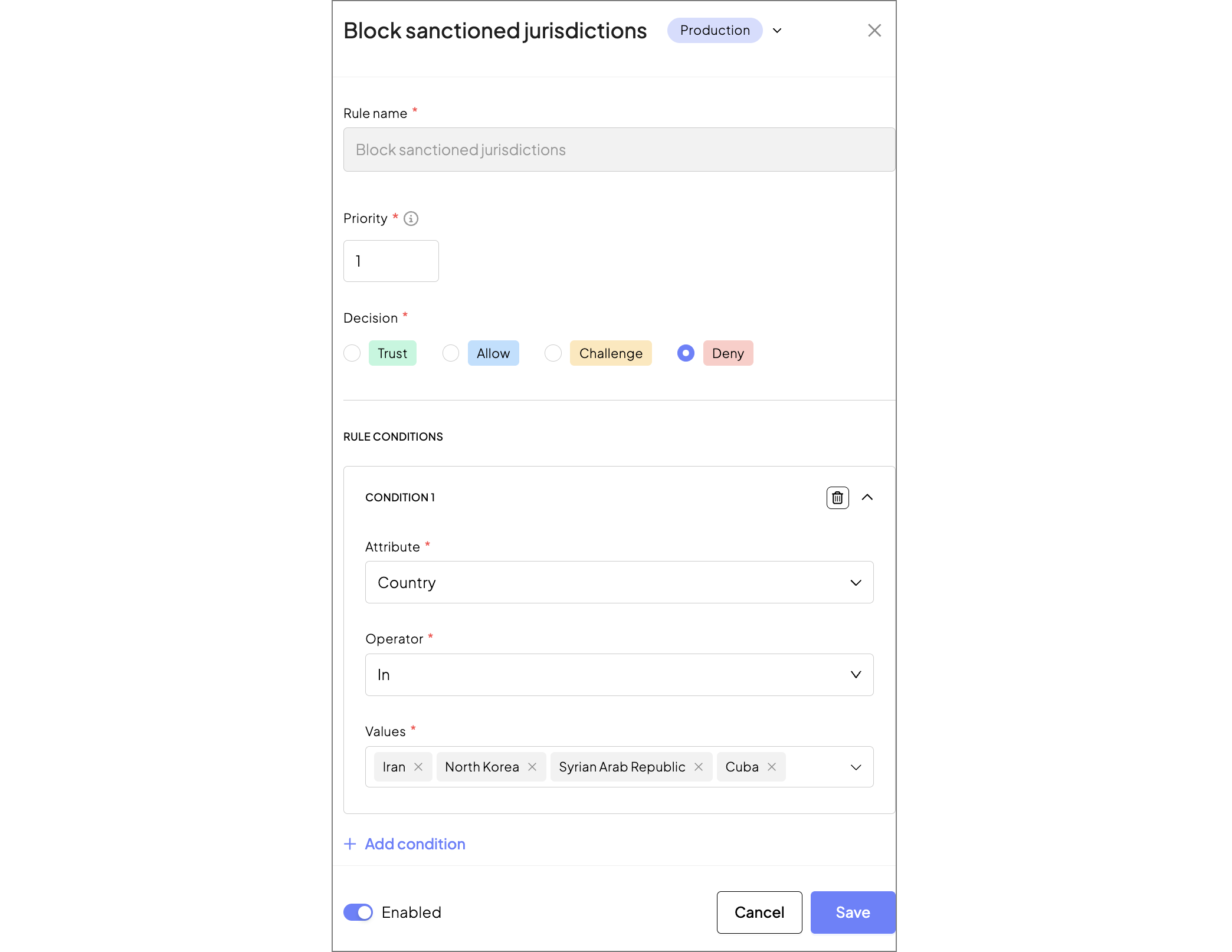
Only a subset of rule matchers is relevant when evaluating IP addresses. The following matchers are supported: ip_cidrs, country_codes, asn_id, organization_name, organization_type, ip_timezone. Matchers that require device, user, or session context (e.g., device_ids, user_ids, action_type) are not evaluated and won't affect the decision.
Send a POST request to /risk/v1/evaluate with the entity you want to evaluate. The request must be authenticated using a client access token generated by your client.
curl -X POST 'https://api.transmitsecurity.io/risk/v1/evaluate' \
  -H 'Authorization: Bearer <CLIENT_ACCESS_TOKEN>' \
  -H 'Content-Type: application/json' \
  -d '{
    "entity_type": "ip_address",
    "entity_value": "192.0.2.45"
  }'
The response includes the recommendation, enrichment data, and a matched rule, if any. For example:
{
  "entity_type": "ip_address",
  "entity": "192.0.2.45",
  "recommendation": "DENY",
  "matched_rule": {
    "rule_name": "Block sanctioned jurisdictions"
  },
  "data": {
    "country_code": "IR",
    "asn_id": "AS64501",
    "organization_name": "Example Telecom",
    "organization_type": "isp",
    "ip_timezone": "Asia/Tehran",
    "ip_is_vpn": false,
    "ip_is_anonymizer": false
  }
}Alternatively, a response can include a preview_rule if an evaluated entity matched a non-production rule. Matching a preview rule doesn't affect the recommendation but allows you to simulate a rule's impact before making it live.
{
  "entity_type": "ip_address",
  "entity": "5.6.7.8",
  "recommendation": "ALLOW",
  "data": {
    "country_code": "US",
    "organization_type": "hosting",
    "ip_is_vpn": false,
    "ip_is_anonymizer": false
  },
  "preview_rule": {
    "rule_name": "Flag cloud-hosted IPs",
    "recommendation": "CHALLENGE"
  }
}
In this example, no production rule matched (so the recommendation is ALLOW), but a preview rule would have returned CHALLENGE. Use this to validate a rule's behavior with real traffic patterns before promoting it to production.
Design backend logic that acts on the entity evaluation result and returned recommendation. For example, when the recommendation is DENY because the entity matched a Block sanctioned jurisdictions rule, the backend must block the request before it reaches downstream services. Persist the returned enrichment data in the audit log as evidence for the compliance decision.