Retrieves a user profile from Mosaic
This step is used to retrieve a user profile from Mosaic and store it in a journey variable for later use. You can use this step to:
- Validate that a user exists before proceeding
- Load user attributes to personalize the journey experience
- Retrieve user identifiers for downstream steps
The user context for the step may be provided implicitly by the journey if the user is already authenticated; otherwise, a user identifier must be specified in the step configuration. The user can be located by any supported identifier (for example, email, phone number, username, external user ID, or a custom identifier, if configured for B2C users in your tenant).
If the step is successfully completed, the user profile (including custom attributes) is stored in the configured output variable and the journey continues. If it fails, the journey proceeds according to the configured failure behavior.
| Field | Description |
|---|---|
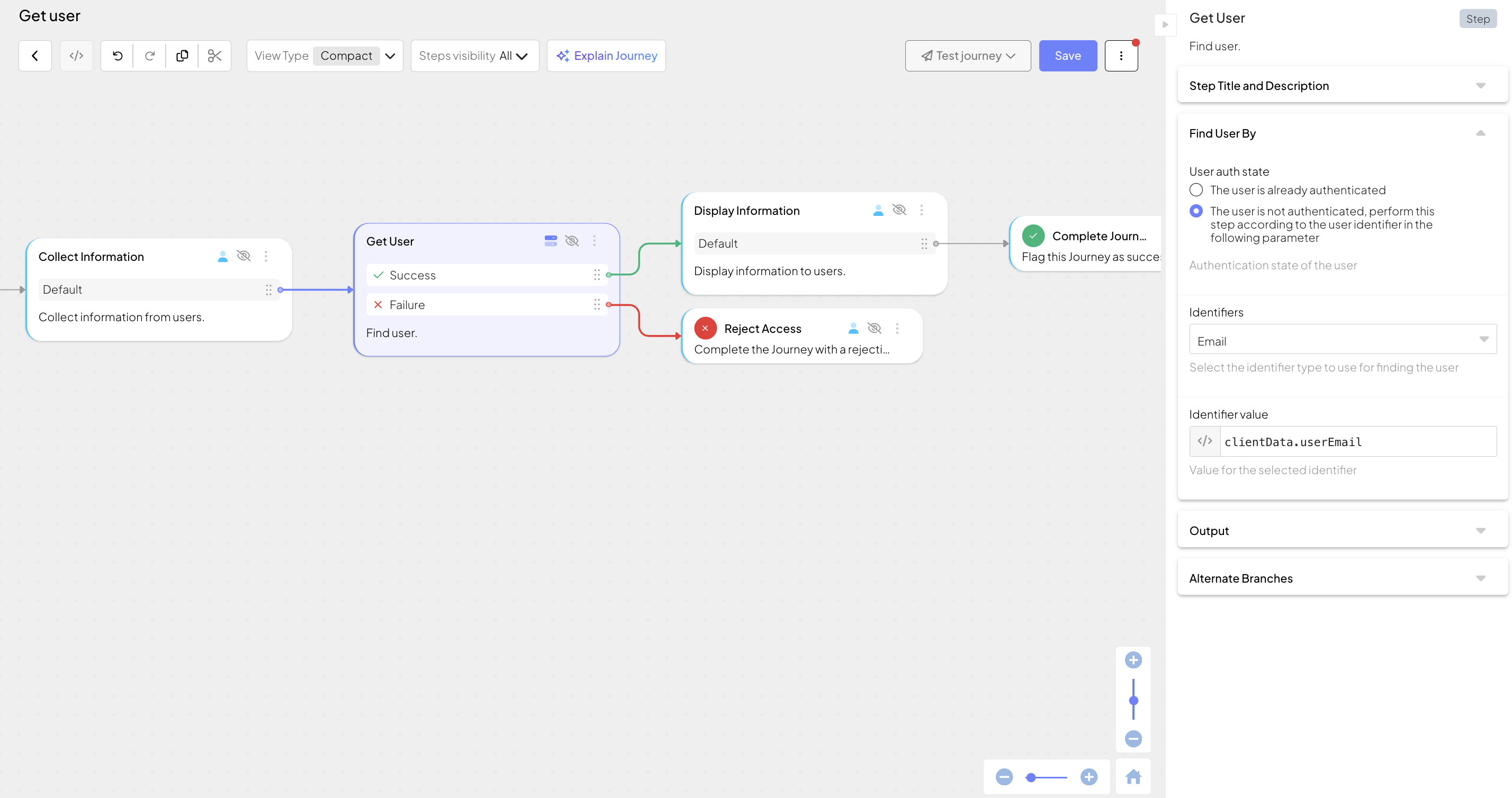
| User auth state | Indicates if the user has authenticated in this journey. If the user is authenticated (default), the user context is provided implicitly by the journey. If not, a user identifier must be configured. |
| Identifiers | Only configured if the journey doesn't authenticate the user before invoking this step. Can be an external user ID, email, phone number, username, or a custom identifier, if configured for B2C users in your tenant. |
| Identifier value | User identifier, specified as an expression. |
| Error output variable | Name of the variable that stores any errors returned by the step. |
| Output variable | Name of the variable that stores the result object returned by the step. |
| Failure behavior | Determines the behavior in case of failure: proceed to a failure branch of the control flow (default) or abort the journey. |
This step can be configured to record step input and output data, or a custom payload, which is then surfaced in journey events in Journey Analytics for diagnostic purposes. For details, see Additional data reporting.
Suppose your retail app allows displaying upcoming in-shop sales and special promotions for the user. You collect an email address from the user using the Collect information step and store it in clientData.userEmail. You can then use Get User to retrieve the profile and all its attributes.
If the step succeeds, the user data is available in get_user_output for subsequent steps. For example, you can add a Display information step to greet the user by their first name (get_user_output.result.name.first_name) and list products on sale at their preferred store location, stored as a custom attribute (get_user_output.result.custom_user_fields.preferredStoreLocation).